eRepair SQL Server
Database Recovery Tool for MS SQL Server. SQL Recovery, Database Repair.-
Repair SQL Server Database
Posted on September 2nd, 2010 No commentsMS SQL is an extremely popular database management system used in millions of enterprise-level databases and database-driven applications. Despite its constant evolution and implementation of increasingly advanced data security features, MS SQL is vulnerable to the same kinds of accidents as all other database types: sudden power failures, consequences of virus attacks, consequences of unsuccessful experiments with unknown disk management software, hard disk failures and many more. When this happens, you or your company may be forced to go all-in to save the information – and this desperate attempt can make a hole in your budget, especially when time is your #1 priority!

With eRepair SQL Server, the risk of losing your SQL database data is efficiently minimized – and you save a great deal of time and money immediately and in the long run, since you don’t need to resort to the use of third-party recovery services. They will not be able to rip you off by doing nothing to bring your data back and yet getting access your confidential information – not if you are equipped with this great tool and can tackle the problem on your own! eRepair SQL Server has quite a few pleasant surprises up its sleeve, the major ones being stability, efficiency, speed and support of all kinds of MS SQL databases, regardless of their structure and size.
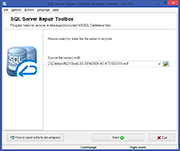
Based on an intelligent adaptive SQL recovery engine, eRepair SQL Server is a “Swiss army knife” in the world of specialized tools intended for data recovery from corrupted MS SQL (*.mdf) database files. The software features a very clear and unambiguous interface and offers a step-by-step wizard-based recovery process. Its remarkable ease of use enables virtually anyone to use the program for fast in-house MS SQL data recovery, even if they don’t have any special skills or prior data recovery experience.
eRepair SQL Server will also help you accomplish the following tasks:
- Recover SQL data from large and extra-large database files of up to 16 Tb (terabytes) in size without modifying them – the program works with exact copies only
- Restore SQL database files over the local network
- Save the recovered data as SQL scripts and split them into several files of the necessary size
- Save the recovered data directly to the SQL server for faster and more reliable recovery
The typical SQL recovery process in eRepair SQL Server consists of several distinct steps briefly described below:
- Analysis of the damaged SQL Database file structure and identification of recoverable and readable data pointers
- Preview of the recoverable database structure. This is where you can take a look at what the program will be able to bring back: system and user tables, stored procedures, views, user-defined data types and functions. Each of the items can be previewed prior to being recovered.
- Selection of the data destination. You can save the recovery results on your hard drive or any other drive connected to the system as a package of SQL scripts or connect to a database and unload the data there. Once the output method has been selected, you can start the recovery process.
- Database analysis and data recovery. This is the longest step that involves another deep scan of the entire database, so the duration of this step directly depends on the complexity/size of the damaged source file and the speed of your CPU. During this stage, the *.mdf repair program performs an *.mdf fix and saves your data according to the options specified on the previous step. Occasionally, the program may encounter irrecoverable SQL database segments, so you should be prepared for such situations and take them as granted. For your convenience, we have added the option of sending the currently opened file to us, the developers of the program. To do that, use the “How to send a file to developers” button in the lower part of the program window. Once we receive it, we will attempt to restore the data manually with the help of some in-house tools and our knowledge of the subject. Once done, we will contact you and let you know the result.
- Log display and the end of recovery. This is when eRepair SQL Server displays a list of actions performed during the current recovery session.
The program works in all major versions of Windows, such as Windows 98, Windows Me, Windows NT 4.0, Windows 2000, Windows XP, Windows XP SP2, Windows 2003 Server and Windows Vista. The tool supports the following database formats and versions: Microsoft SQL Server 7.0, 2000, 2005 (32- and 64-bit versions).
If you’d like to try eRepair SQL Server in action, don’t miss the chance and download the trial version right away! It will contain all of the features of the licensed software, but will not allow you to save the recovered database contents, but you will be able to inspect the full data preview without restrictions. You won’t find another tool offering such a unique combination of recovery efficiency, attractive looks, a “no-brainer” approach to such a complex matter as database recovery and, of course, unbeatable price!